
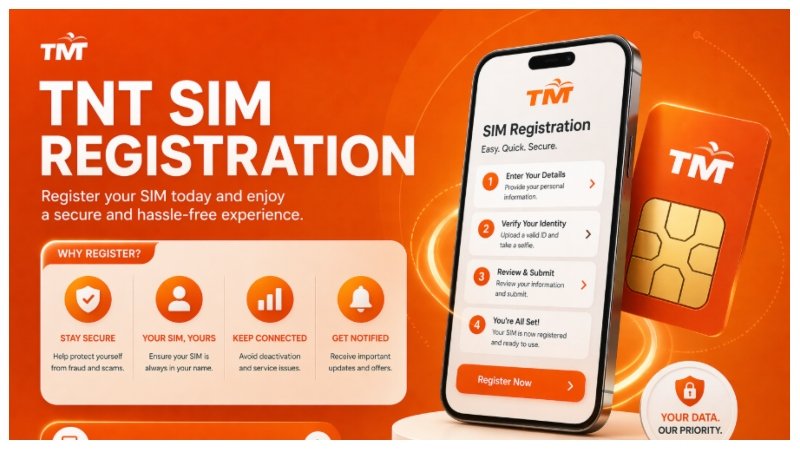
If you are using a TNT SIM, registration is mandatory to keep your number active. Without completing registration, your SIM may get deactivated, and you could lose access to calls, texts, mobile data, and OTP services.
This guide explains everything in a simple and unique way so you can complete SIM registration without confusion.
What is TNT SIM registration?
TNT SIM registration is the process of linking your mobile number with your personal identity details. This is required under government regulations in the Philippines to help reduce scams, fraud, and spam messages.
TNT operates under Smart Communications, so its registration system is connected with Smart’s official platform.
Once registered, your SIM becomes verified and fully active for all services.
Why TNT SIM Registration is Important
Registering your SIM is not optional. It provides real benefits:
- Prevents SIM deactivation
- Protects against scams and spam
- Secures mobile banking and OTP access
- Keeps your number active long-term
- Required by law
Who Needs to Register a TNT SIM?
You must register if:
- You are a new TNT user
- You are an existing prepaid user
- Your SIM is not yet registered
- You use TNT for calls, data, or online accounts
Requirements for TNT SIM Registration
Before starting, prepare the following:
Personal Information
- Full name
- Date of birth
- Address
- Nationality
Valid Government ID (any one)
- Passport
- National ID
- Driver’s License
- UMID
- Voter’s ID
Selfie Verification
- Clear selfie holding your ID card
Active SIM
- SIM inserted in your phone to receive OTP
How to Register TNT SIM Online (Step-by-Step)
Step 1: Open Official Registration Portal
Go to the official Smart SIM registration website.
Enter Mobile Number
- Type your TNT number
- Click “Register” or “Start.”
OTP Verification
- You will receive a one-time password.
- Enter OTP to continue
Fill Personal Details
- Enter your correct information
- Make sure it matches your ID
Upload Documents
- Upload valid government ID
- Upload selfie with ID
Review Information
- Double-check all details carefully
Submit Registration
- Click submit and wait for confirmation SMS
Register your TM sim here: https://tmsimsregistration.ph/
TNT SIM Registration Link Safety Tips
- Always use official websites only
- Never share OTP with anyone
- Avoid fake registration links
- Do not trust unknown social media pages
Common Problems & Fixes
OTP Not Received
- Restart your phone
- Check network signal
- Try again after a few minutes
Invalid ID Upload
- Use clear, high-quality images
- Avoid blurry or cropped photos
Website Not Loading
- Change browser
- Try different internet connection
Registration Failed
- Recheck all details
- Ensure SIM is active and inserted
Benefits After Registration
Once your TNT SIM is registered:
- SIM stays active without interruption
- Better protection from fraud
- Smooth OTP verification for apps
- Full access to TNT services
- Compliance with government rules
Important Tips
- Use real and correct information only
- Keep your ID ready before starting
- Ensure good lighting for selfie upload
- Use stable internet connection
- Save your confirmation message
FAQs
Is TNT SIM registration free?
Yes, it is completely free.
Can I register multiple TNT SIMs?
Yes, but each SIM must be registered separately.
What happens if I don’t register?
Your SIM may be permanently deactivated.
Can I update details later?
Some details can be updated through official support channels.
Conclusion
TNT SIM registration is a quick but very important process to keep your number active and secure. By following the correct steps and using accurate information, you can complete registration in just a few minutes.
Make sure to register your SIM on time to avoid service interruption and enjoy uninterrupted TNT services.