
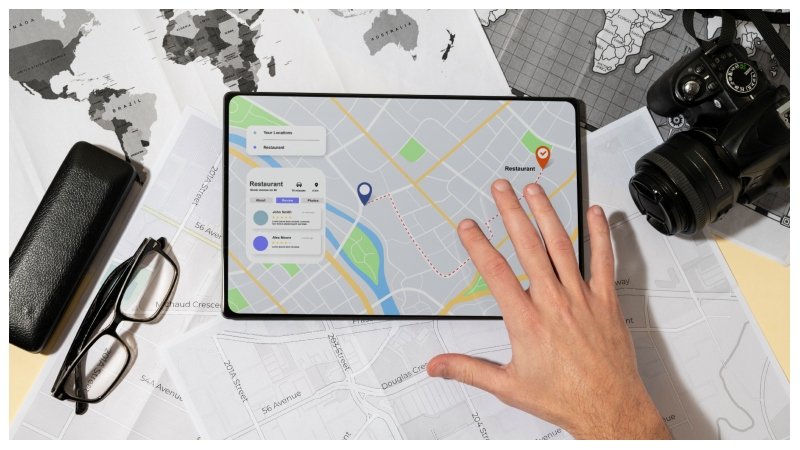
Last year, a bakery owner in my neighborhood shut down after eight years. Great bread, loyal regulars, reasonable prices. What did her competitor across the street have? A Google Maps listing with 340 reviews, fresh photos every week, and a 4.8 rating. The bakery that closed had 22 reviews—three of which were from the owner’s relatives, which is painfully obvious when you read them.
Local search has changed the game completely. Customers no longer ask friends for recommendations first. They open Maps, type what they need, and pick from whatever shows up in the top three results. If your business isn’t there, you simply don’t exist to them.
Here’s what actually moves the needle.
1. Stop Half-Completing Your Google Business Profile
Most business owners claim their profile, fill in the name and phone number, and call it done. That’s like setting up a shop and forgetting to put anything in the window.
What you’re probably leaving blank:
- Business categories – Your primary category matters more than anything else on the profile. Pick the most specific one that fits, then add secondary categories. A “pizza restaurant” that also does catering should list both.
- Business description – Write like a human, not a brochure. Who you serve, what you specialize in, and why someone should choose you over the place down the road.
- Photos – Real ones. Interior, exterior, team, products, finished work. Listings with regular photo uploads consistently outperform bare-bones ones in click-through rates. Active Local Guides – the people whose local guide reviews carry real weight on Maps—are far more likely to engage with a listing that looks alive.
- Attributes – Things like “free Wi-Fi,” “wheelchair accessible,” or “women-led business” show up in filtered searches. Don’t skip these.
2. Treat Your Listing Like a Living Thing, Not a One-Time Setup
Here’s something nobody tells you: Google lets anyone suggest edits to your listing. A well-meaning customer, a competitor, or just someone who got confused can submit a change—and it can go live. Your address, phone number, and even your business category.
What to check regularly:
- Your NAP – Name, address, and phone number. These should be identical across your website, Maps profile, and every directory you’re listed on. Even a minor formatting difference (“St.” vs. “Street”) creates inconsistency that Google notices.
- Business hours – Update them for holidays before the holiday, not after a wave of complaints.
- Your website link – If you’ve changed domains or restructured URLs, update the listing. A broken link from your Maps profile is just wasted traffic.
Set a monthly reminder. It takes ten minutes. And while you’re at it, if someone has suggested a dodgy edit or you’ve noticed a suspicious spike in negative reviews, check whether a competitor is playing dirty. It happens. Some of them are also the type who’d buy Google Maps reviews for themselves rather than earn them, so don’t assume the playing field is always clean.
3. Getting Reviews Is a System, Not a Wish
Waiting for reviews to trickle in organically is a losing strategy. The businesses that dominate local rankings treat review collection like a proper process—not something that happens by accident.
Building that process:
- Ask at the right moment – Right after a positive experience, not three weeks later in a bulk email blast.
- Remove the friction—Generate a direct review link from your Business Profile dashboard and send it via WhatsApp or SMS. Nobody is going to hunt for your listing manually.
- Brief your staff—If you have employees dealing with customers, make asking for reviews part of the natural close. “If you’re happy with the service, a quick Google review really helps us out” works perfectly fine.
Understanding the local guide reviews ecosystem also helps. Google’s Local Guides are regular users who review places frequently and earn badges for it. Their reviews tend to be detailed, credible, and less likely to get filtered out by Google’s spam systems. You can’t invite them specifically, but a well-maintained listing with great service attracts this type of reviewer over time.
On the flip side, if you’ve ever been tempted to buy Google Maps reviews – don’t. Google’s detection has become genuinely sophisticated. Accounts with no history, reviews that arrive in clusters, identical writing patterns—these get flagged and removed. Worse, repeated violations can get your listing suspended. The short-term number bump isn’t worth losing your entire listing over.
4. Your Response to a Bad Review Matters More Than the Review Itself
A one-star review from someone who had a bad day is not the end of the world. A defensive, sarcastic response to that review absolutely is.
How to handle the full spectrum:
- Negative reviews – Acknowledge, don’t argue. Offer to resolve it offline. People reading your response care more about how you handle problems than whether problems occurred at all.
- Positive reviews—Stop copy-pasting “Thank you for your kind words!” Reference something specific from their review. Takes 30 seconds and reads as genuine.
- No-text star ratings – Still deserve a short acknowledgment. “Glad you had a good experience—thanks for the rating” is enough.
5. Google Posts: Free Visibility That Almost Nobody Uses
Every update you post on your Business Profile appears directly in Maps and search results. Free advertising that most competitors leave untouched.
Post ideas that actually work:
- A new service, or an existing one people don’t realise you offer
- A limited-time offer or seasonal deal
- Behind-the-scenes content – how something gets made or done
- Answers to questions customers keep asking you
Posts expire after seven days. Twenty minutes once a week is all it takes.
6. Fill In the Sections Your Competitors Ignore
Your profile has more usable space than most businesses ever touch.
Three underused areas:
- Services and products – List them individually with descriptions. This helps you surface for specific searches rather than just your business name or broad category.
- Q&A section—Anyone can post a question here, and anyone can answer it – including you. Pre-populate it with your most common customer questions before strangers start adding inaccurate answers.
- Booking links – If you take appointments, connect your scheduling tool. Reducing steps between “found your listing” and “booked an appointment” is one of the easiest conversion improvements available.
7. The Dashboard Data Is Telling You Things – Are You Listening?
Google gives you free performance data inside your Business Profile. Most business owners open it once, see a graph, and never return.
What to actually look at:
- Search queries – What words are people typing to find you? If they don’t match your actual services, adjust your description and service listings.
- Views vs. actions—High views but low calls or direction requests mean something’s wrong with the listing itself. Usually photos, reviews, or a confusing description.
- Month-over-month drops—If direction requests or calls suddenly dip, check whether something changed on your profile or whether a competitor just improved theirs.
This data is free. Using it costs nothing. Not using it is just leaving money on the table.
Go back to that bakery story for a second. Eight years of good bread, loyal customers, a real business – gone, partly because a Maps listing never got updated. That still bothers me.
Pick one thing from this list. Fix it this week. Then the next one. Nobody overhauled their Maps presence in a single afternoon, but plenty of businesses have quietly climbed to the top three by just doing the boring stuff regularly and not stopping.
FAQ
How quickly will I see results after making these changes?
Basic fixes like updating hours or photos can show impact within days. Actual ranking improvement from reviews and consistent activity takes anywhere from 4 to 12 weeks, depending on how competitive your area is.
Are local guide reviews more powerful than regular reviews?
Technically, Google hasn’t confirmed they carry extra algorithmic weight. In practice, they’re written in more detail, look more credible to users, and are far less likely to be filtered out. So yes, they tend to matter more in the real world.
How many reviews do I actually need?
Look at whoever ranks in the top three in your category and location – that’s your target. There’s no universal number. In some markets, 40 reviews puts you at the top. In others, you need 400 just to be in the conversation.
Someone is messing with my listing – what do I do?
It happens more than people admit. Report incorrect edits through your Business Profile dashboard, document everything with screenshots, and contact Google support. If it’s a pattern, escalate it clearly and persistently.
Should I outsource my Google profile management?
If you have multiple locations or you’re in a fiercely competitive local market, a specialist is worth the cost. For one location, it’s fully manageable yourself—maybe two hours a month if you stay on top of it.